
A study launcher for macOS
Study Boxes
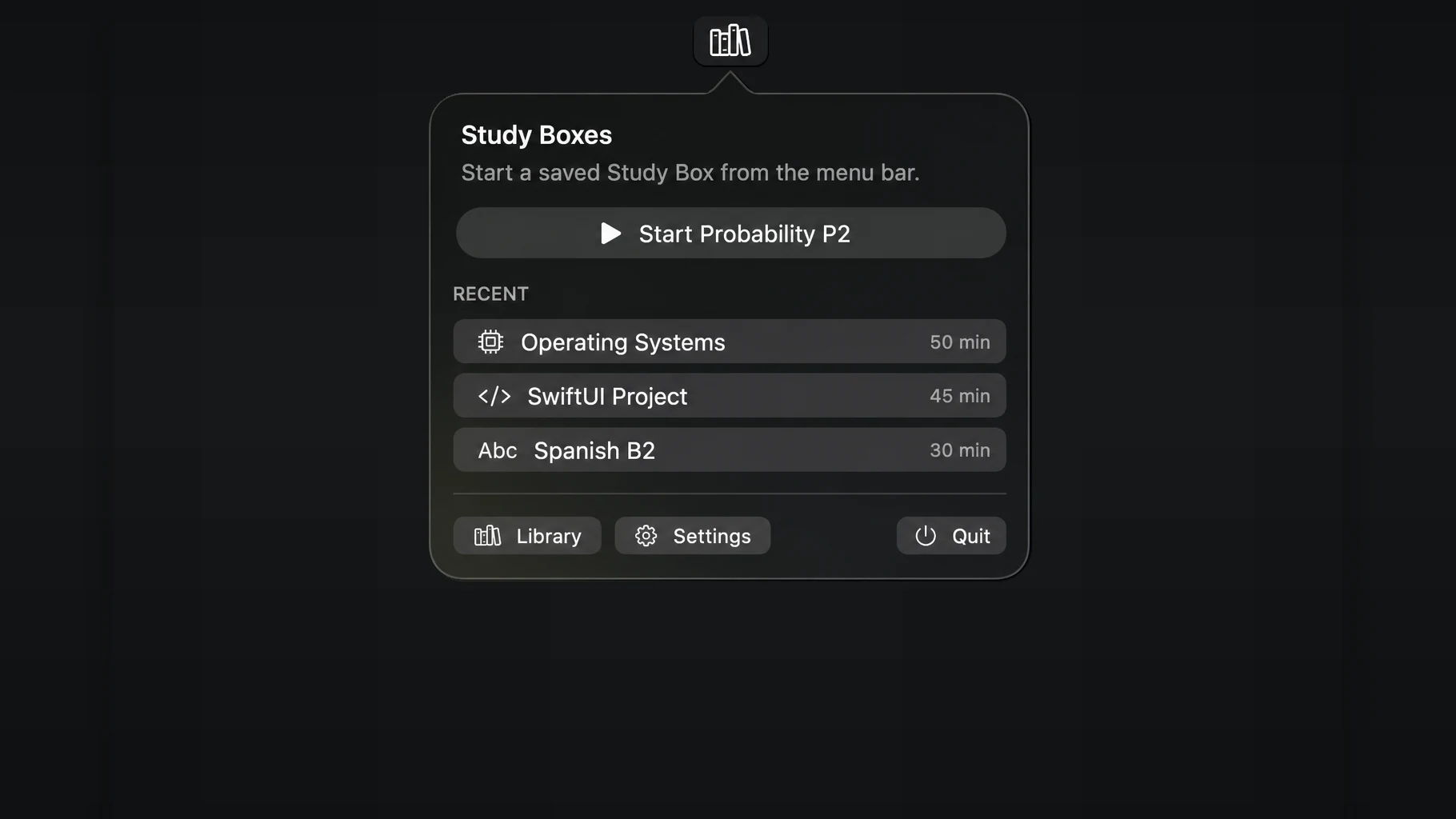
Your files, links, and next tasks are already together. Start a session from your menu bar and get straight to studying.
Built by a student, for students. · Public Mac build coming soon.
The idea
Give every subject its own starting point.
A Study Box holds the material and the next steps for one course, exam, assignment, or project. Set it up once; return to it whenever you sit down to work.
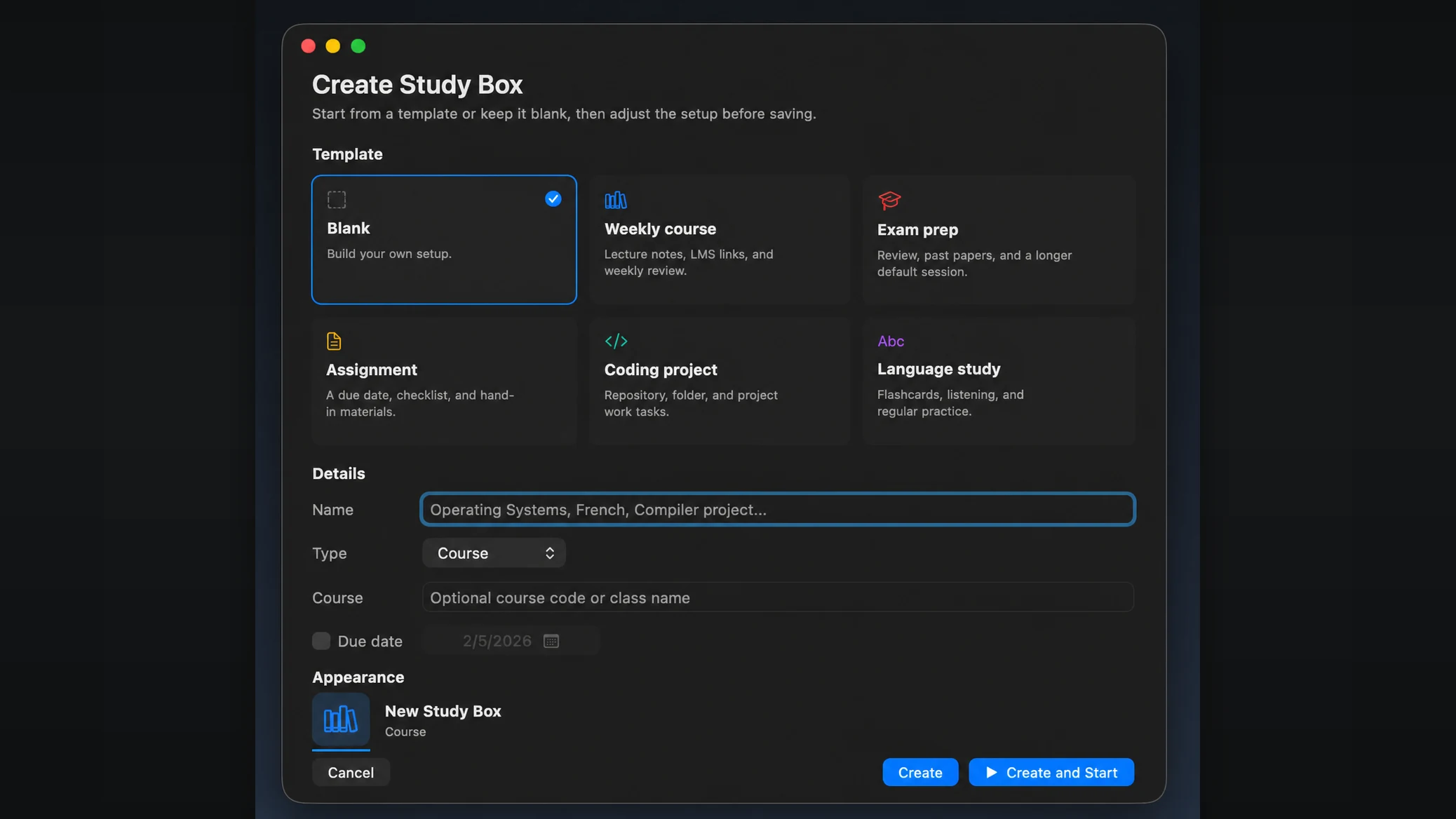
- 01 / CollectAdd your PDFs, folders, course links, apps, and tasks.
- 02 / StartOpen your study setup from the Mac menu bar.
- 03 / ContinuePick up your unfinished work and last session notes.
During a session
Stay with the work.
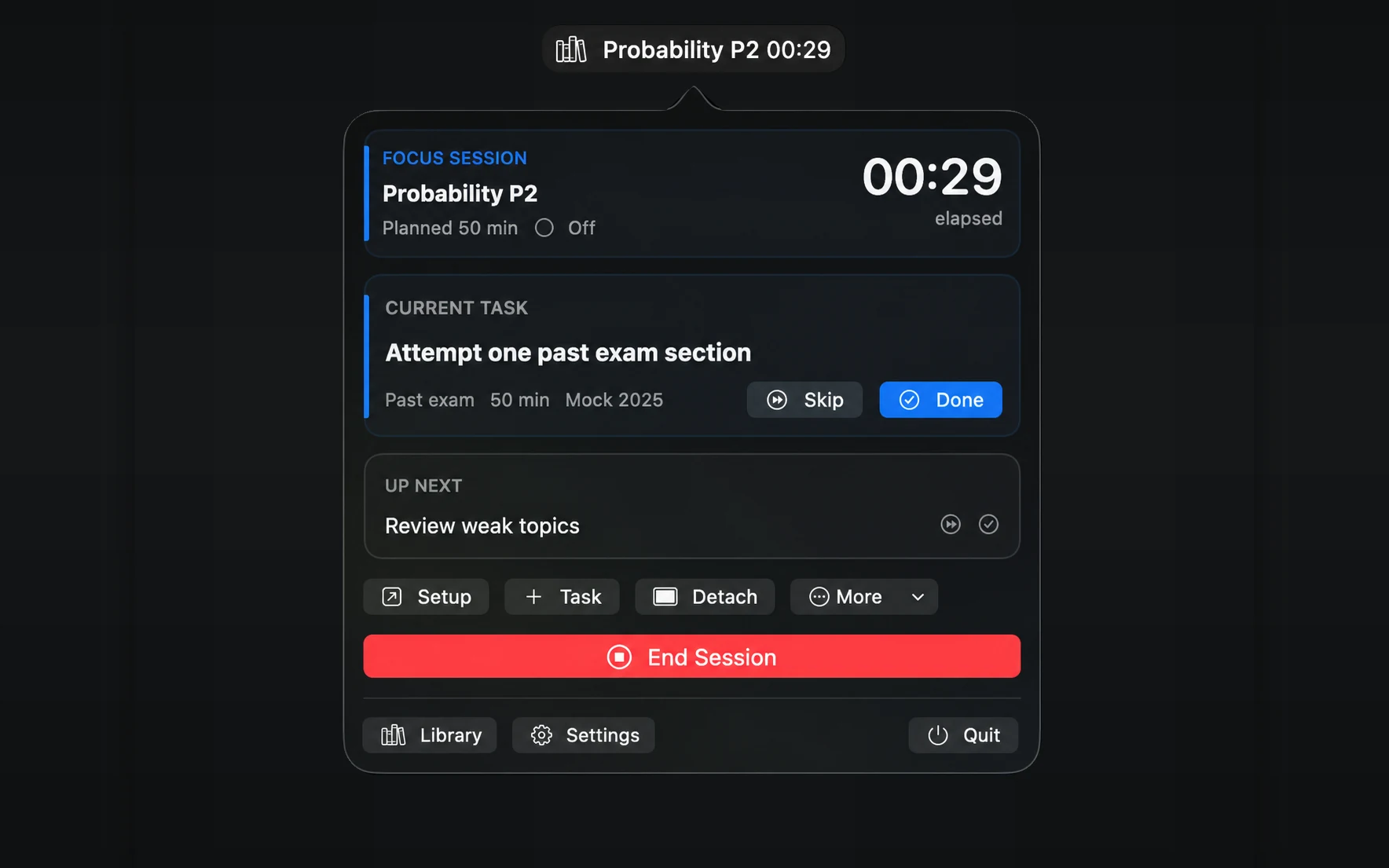
Keep the current task, next task, and timer close by without keeping a full app window open. Mark a task done or skipped right from the menu bar.
When you return, Study Boxes can show where you stopped and reopen the resources you saved.
Focus, your way
Make room for the subject in front of you.
Focus controls are optional. Hide unrelated apps, or ask them to quit politely, while the files and apps in your Study Box stay available. No force quitting.
Your browser stays yours
If a box opens websites, your browser stays visible. Study Boxes never reads or manages individual tabs.
Windows are best-effort
Optional window restore can put supported app windows back in place when macOS allows it.
Stop at any time
Focus controls are reversible, with a quick stop path during the session.
Private by design
Your study setup stays on your Mac.
No account is required for the study workflow. Boxes, tasks, notes, and session history are stored locally. Course sites stay as links; Study Boxes does not scrape them.
Accessibility access is requested only for features that affect other apps, such as focus controls or window arrangement.
Read the privacy policyRelease status
Public Mac build coming soon.
Study Boxes is being prepared for direct download, including signing, notarization, and final release testing. It requires macOS 14 or later.
The download below is source code, not a signed Mac app.
Questions
A few useful details.
Is Study Boxes a website blocker?
No. It is a study setup launcher. Optional focus controls work at the app level, not on individual browser tabs.
Will it work without an account?
Yes. The study workflow stores boxes, tasks, notes, and session history on your Mac.
Why might it ask for Accessibility access?
Only features that affect other apps, such as focus controls and window arrangement, need it. The core study workflow works without that permission.
Can I pick up where I left off?
Yes. Your last session notes, unfinished tasks, and saved resources stay with the Study Box so you can return to the same subject.